
Introducing RepoDB Connectors — Starting with MariaDB
We are excited to announce the initial release of RepoDB Connectors — a new home for dedicated, provider-specific ADO.NET data providers built for RepoDB.
Why a dedicated repository?
As RepoDB expands its support for data movement across more and more database providers, dedicated ADO.NET objects are required for each one — to avoid class collisions and to expose provider-specific data types, behaviors, and capabilities where applicable.
Rather than bundling every provider into a single library, each database provider now gets its own connector project, with its own NuGet package, its own release cadence, and its own documentation — all while following a shared, consistent design across the standard System.Data.Common abstractions.
This repository will progressively host those connectors as they are built, and we’re kicking it off with MariaDB.
Status: Early development. The API and implementation are subject to change.
What’s in this initial release?
Two dedicated MariaDB connectors, sharing the same MariaDb-prefixed API, so you can pick whichever underlying driver best fits your project:
RepoDb.Connector.MariaDb— built on Oracle’s MySql.DataRepoDb.Connector.MariaDbConnector— built on MySqlConnector
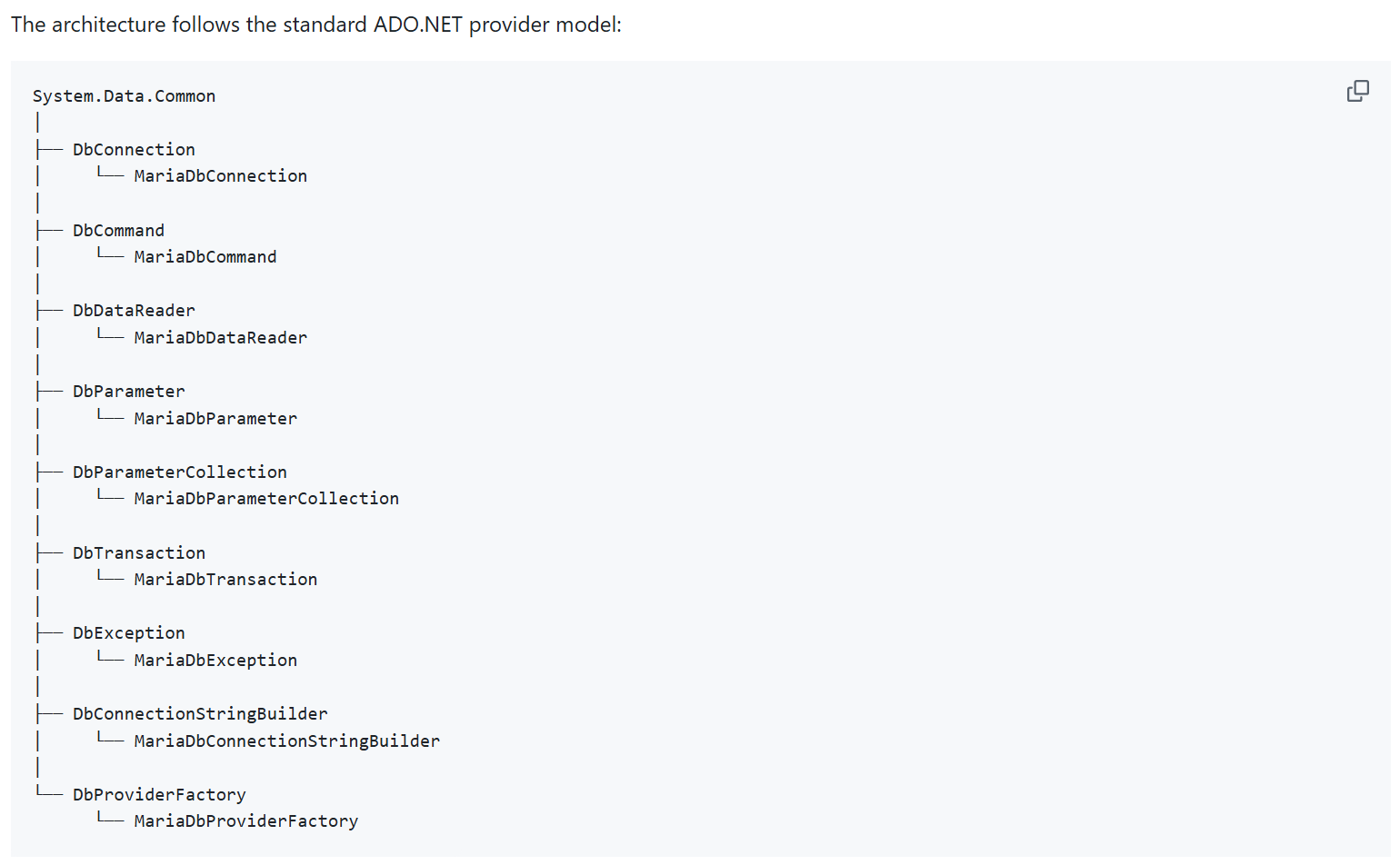
Both follow the standard ADO.NET provider model, with the full set of MariaDb-prefixed objects: MariaDbConnection, MariaDbCommand, MariaDbDataReader, MariaDbParameter, MariaDbParameterCollection, MariaDbTransaction, MariaDbException, MariaDbConnectionStringBuilder, and MariaDbProviderFactory — plus a MariaDbType enumeration for MariaDB-specific data type mapping.
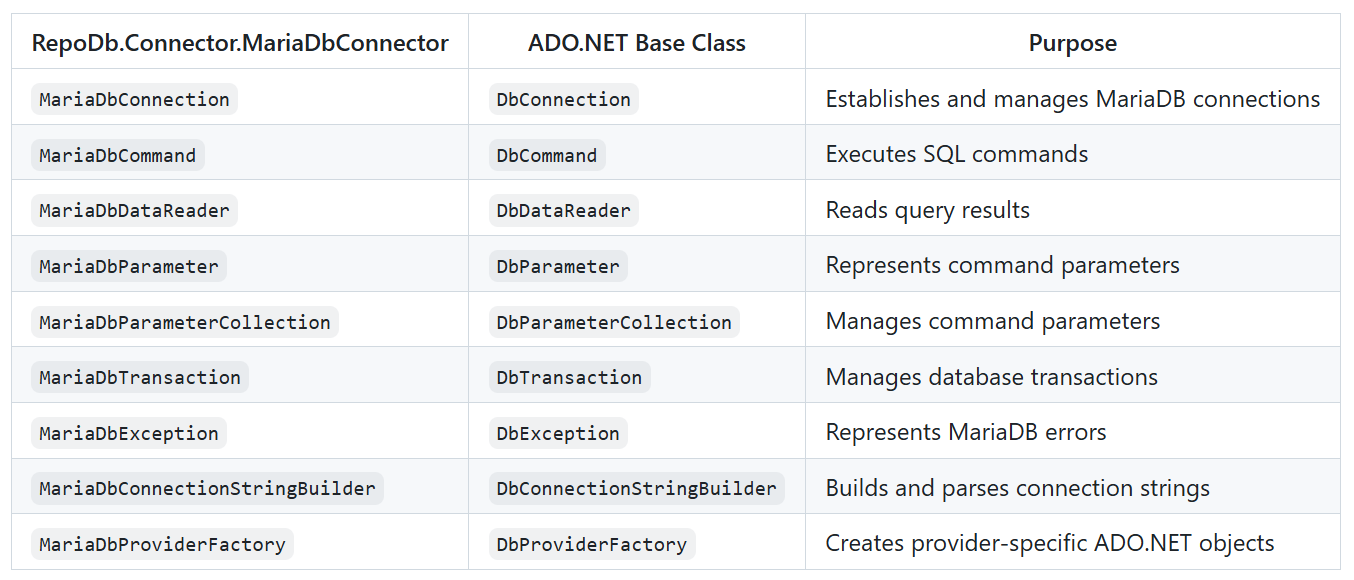
Underneath, the public ADO.NET API sits on top of the MariaDB communication and protocol infrastructure — authentication, TLS, prepared statements, parameter encoding, result set parsing, type encoding/decoding, and cancellation:
Bulk-loading support is already in the box too, via MariaDbBulkCopy (both packages) and MariaDbBulkLoader (the MySql.Data-based package, wrapping LOAD DATA LOCAL INFILE).
Getting started
Install whichever driver you’re already using:
> Install-Package RepoDb.Connector.MariaDb
or
> Install-Package RepoDb.Connector.MariaDbConnector
Then use it like any other ADO.NET provider:
using RepoDb.Connector.MariaDb;

var connectionString =
    "Server=localhost;" +
    "Port=3306;" +
    "Database=TestDb;" +
    "User ID=root;" +
    "Password=password;";

await using var connection =
    new MariaDbConnection(connectionString);

await connection.OpenAsync();

await using var command = connection.CreateCommand();

command.CommandText = """
    SELECT Id, Name, Email
    FROM Customer
    WHERE Id = @Id;
    """;

command.Parameters.AddWithValue("@Id", 100);

await using var reader = await command.ExecuteReaderAsync();

while (await reader.ReadAsync())
{
    var id = reader.GetInt32(0);
    var name = reader.GetString(1);
    var email = reader.GetString(2);

    Console.WriteLine($"{id}: {name} ({email})");
}
These connectors are also what power RepoDb.MariaDb and RepoDb.MariaDb.BulkOperations under the hood, so if you’re already using RepoDB’s fluent CRUD and Bulk Operations against MariaDB, this is the connector layer making it happen.
Early days, and we’d love your help
This is genuinely just the beginning — connection pooling, prepared statements, TLS/SSL, additional authentication mechanisms, and more providers beyond MariaDB are all on the roadmap. Contributions are very welcome, whether that means hardening the MariaDB connector or proposing support for a new database provider entirely.
We’re excited to build this out in the open, and we’d love your feedback as the early pieces land.
Please support us
Give a ⭐ to our Github repository |
Follow me at X / Twitter |
Connect with us at our official Teams Channel
Apache License 2.0 — Copyright © 2026 by Michael Camara Pendon / Create a Request